In the ever-evolving world of design, having the right graphic design software can make or break your creative projects. In 2024, the landscape of creative tools continues to expand, offering an array of options to suit various needs and preferences. Whether you're a seasoned professional or just starting your journey in design, choosing the best design software is crucial to bringing your ideas to life and staying competitive in the industry.
This guide will walk you through the top graphic design software available for creative professionals in 2024. You'll discover the latest updates to industry staples like Adobe Creative Cloud, including Adobe Photoshop and Adobe Illustrator, as well as rising stars like Figma and Affinity Designer. We'll explore tools for vector graphics, image editing, digital painting, and even delve into 3D modelling and animation software. By the end, you'll have a clear understanding of the most powerful and versatile creative tools to enhance your UI/UX design workflow and bring your artistic vision to reality.
1. Adobe Creative Cloud Suite
Adobe Creative Cloud is a comprehensive suite of software and services offered by Adobe, primarily aimed at creative professionals, designers, photographers, and marketers. It provides access to a wide range of Adobe applications for graphic design, video editing, web development, photography, and more. Creative Cloud operates on a subscription-based model, allowing users to access the latest versions of Adobe’s tools, as well as cloud storage and various collaborative features. For the purpose of our scope of discussion, let's explore the key components of this suite that you'll find indispensable in your design workflow.
Adobe Illustrator
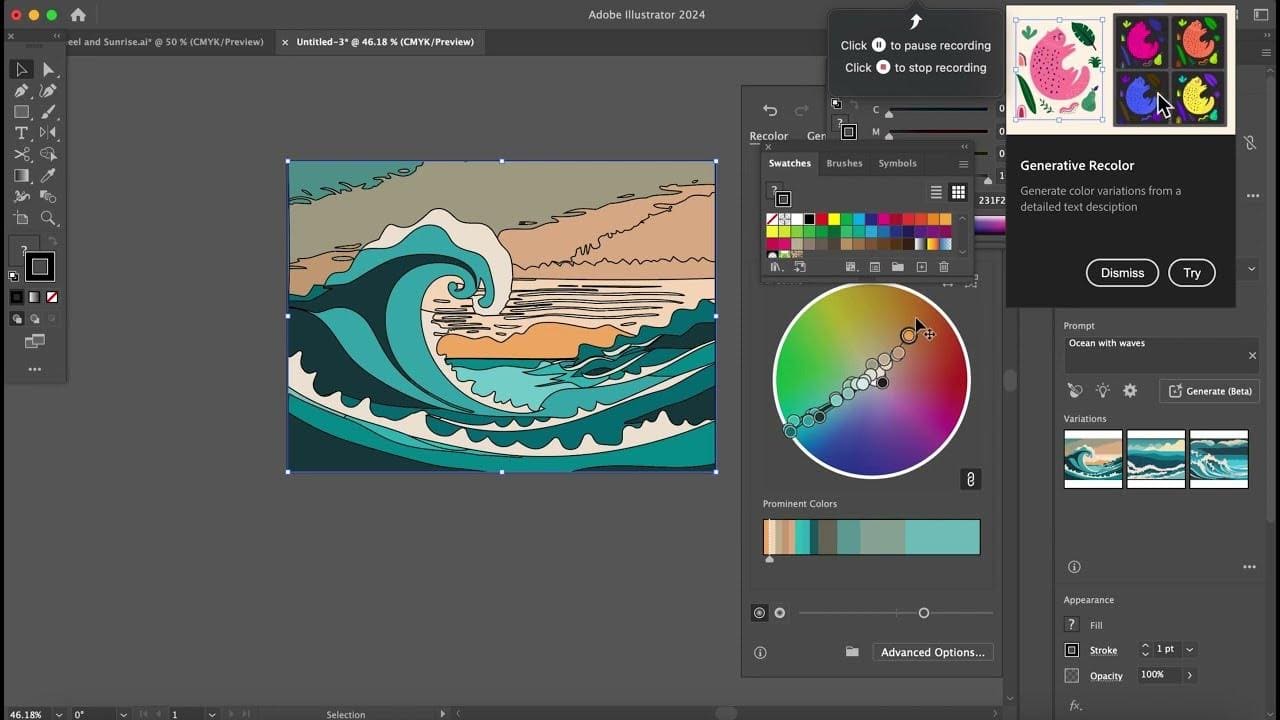
Adobe Illustrator is a top-notch vector graphics software that can be used to produce a diverse array of digital masterpieces, ranging from logos and icons to intricate illustrations and text designs. The current version of Adobe Illustrator, as of August 2024, is Illustrator 2024 v28.6. This update includes several innovative features that leverage AI to enhance creative workflows:
- Generative Shape Fill (beta): This tool allows designers to add detailed vectors to shapes by using text prompts, powered by Adobe's Firefly Vector Model. This AI-powered feature allows you to quickly create unique designs based on your descriptions, making it easier for you to focus on creativity while handling complex tasks with more efficiency.
- Text to Pattern (beta): Facilitates the creation of customised vector patterns using simple text prompts.
- Mockup (beta): Enables the creation of high-quality visual prototypes, automatically adjusting artwork to fit real-life objects like packaging or apparel.
- New Smooth Slider: This tool offers enhanced control over path smoothing. You can now manually adjust smoothing levels for entire paths or specific sections, giving you more precision in your vector work.
- New text effects such as retro text, neon glow text, and old school text helps to add flair to your designs. These effects enable you to create eye-catching typography without time-consuming manual adjustments.
Adobe Illustrator, just like any software in Adobe Creative Cloud Suite, has a subscription model that can be costly for freelancers, small businesses, or casual users. Illustrator's extensive feature set can be overkill for simple vector graphic tasks, making it more appealing to simpler alternatives like Inkscape or Affinity Designer. Additionally, its raster editing capabilities are limited, making it necessary for users to switch to Adobe Photoshop or another raster editor for tasks requiring both vector and raster design elements.
Adobe Photoshop
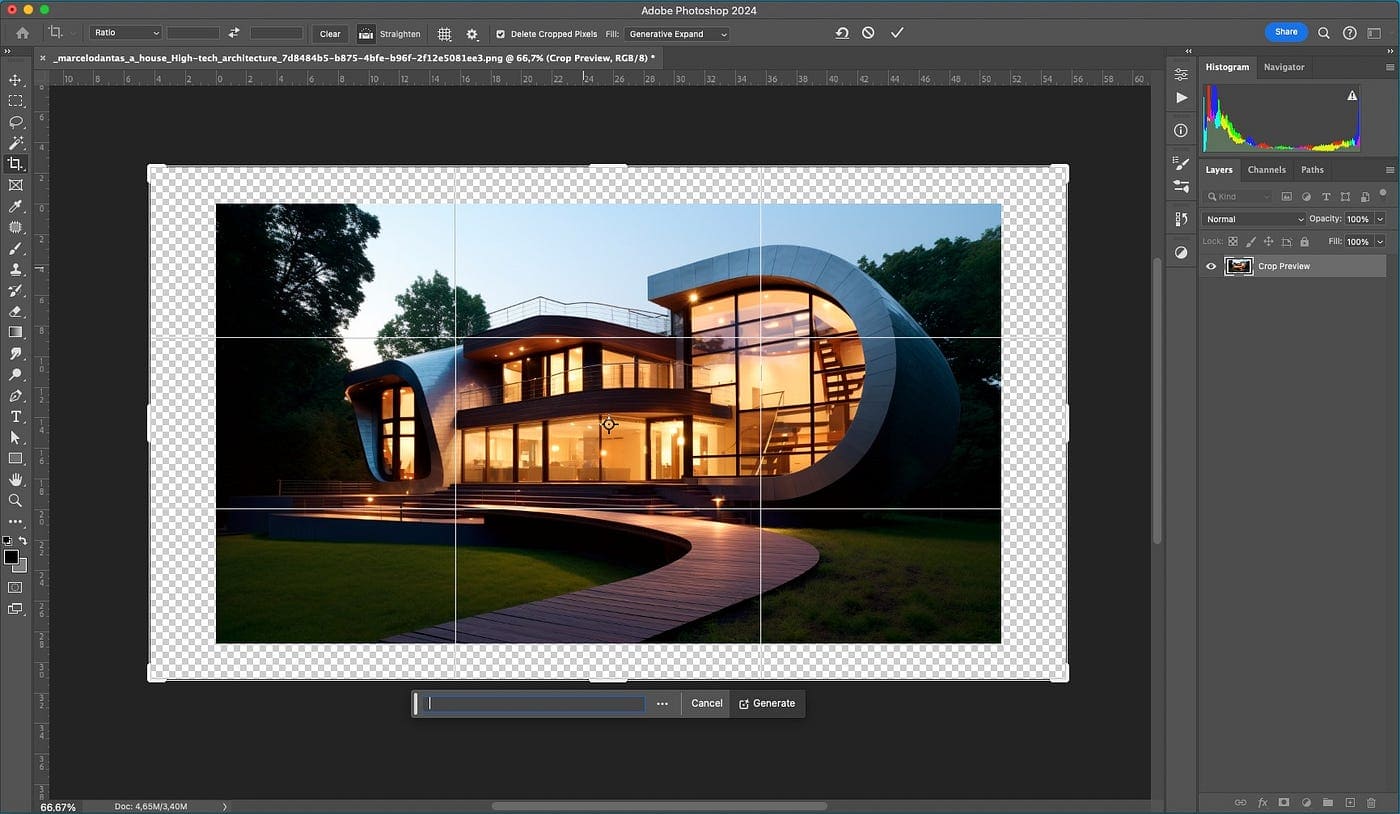
Adobe Photoshop is a powerful raster-based image editing software utilised by professional photographers, designers, and hobbyists around the globe.
Photoshop, the cornerstone of image editing software, continues to evolve with regular updates. The current version of Photoshop 2024 (desktop) is 25.11, while the iPad version is at 5.5.2. The current version is integrated with:
- Generative Fill and Edit: Advanced AI-powered tools for generating and editing content within images, enhancing creative flexibility and automation.
- Enhanced Selection Tools: Improved selection tools with AI-assisted features for more accurate and refined selections and masking.
- Sky Replacement and Adjustment: New capabilities for seamlessly replacing and adjusting skies in photos with more control and realism.
- Improved Performance: Optimisations for faster performance and smoother workflows, especially with large files and complex projects.
- Collaborative Features: Enhanced cloud-based collaboration tools, allow for real-time sharing and editing with team members.
- Seamless Cloud Integration: Better synchronisation with Adobe Creative Cloud, making it easier to access and work on files across devices. You can seamlessly work with Illustrator artwork in Photoshop and use Photoshop files in InDesign, streamlining your workflow across different design tasks.
Adobe Photoshop requires a powerful computer with sufficient RAM, a fast processor, and a good graphics card to run smoothly. The software's complexity can make it difficult to accomplish simple tasks quickly, leading some users to opt for more streamlined alternatives. Additionally, its subscription model can be a drawback for users who prefer a one-time purchase rather than a recurring fee. Once a subscription is cancelled, users lose access to the software, making it less attractive for occasional users or those with fluctuating income.
Adobe InDesign
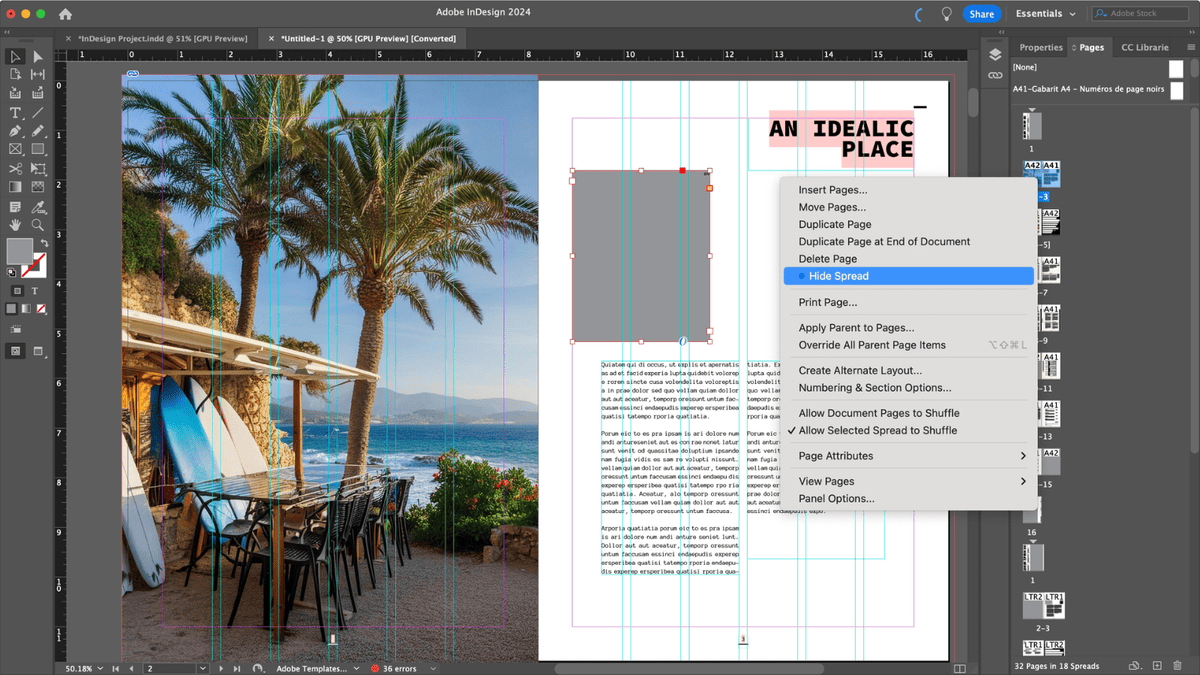
Adobe InDesign is a leading desktop publishing software used for creating professional layouts for print and digital media. It’s widely used in industries like graphic design, marketing, publishing, and more to design everything from books and magazines to brochures and interactive PDFs.
The current version of Adobe InDesign, which was released in July 2024, is version 19.5. This release introduces several new features aimed at enhancing productivity and creative possibilities:
- Generative Expand (Beta): This feature, powered by Adobe Firefly, allows users to extend images to fit a frame seamlessly by generating additional content to fill the space. This can be particularly useful for adjusting layouts without needing to source new images.
- Generative AI: This powerful text to Image AI tool lets you create images with simple text prompts right inside InDesign using Adobe Firefly models.
- History Panel: InDesign now includes a History panel that lets you see and revert to previous actions within a document. This makes it easier to manage complex editing processes by providing a clear timeline of changes.
- Change Case Feature: Users can now change text cases across entire documents using the Find/Change dialogue, streamlining the process of ensuring consistent typography across projects. This feature is particularly useful when working with large, multipage documents that require consistent text styling.
Adobe InDesign 2024 offers a wide range of features for professional publishing, but its complexity can be overwhelming for beginners. Additionally, it lacks advanced photo editing capabilities, requiring users to use other Adobe programs for image manipulation. Also, it is not suitable for digital-first content like websites or mobile apps, as tools like Adobe XD or Figma are more intuitive.
2. Affinity Suite
The Affinity Suite offers a powerful alternative to Adobe's Creative Cloud, providing professional-grade tools for graphic design, photo editing, and desktop publishing. The current version, which was released in May 2024, is 2.5, and it is available for Windows, macOS, and iPad.
What is new in the latest release? Here are some of the notable updates:
- Native Windows ARM64 Support: The entire Affinity suite is now optimised for devices with ARM64 chips, offering enhanced performance on the latest Windows hardware.
- Variable font support: This feature allows you to take full advantage of variable fonts, which offer a range of styles and weights within a single font file.
- New Stroke Width Tool: This tool fitted in the entire Affinity suite gives you an on-document way of editing the pressure profile of any curve. The new improved tool allows you to display pressure points' positions along a curve, adjust their width and position, add or remove pressure points, and use a double-click.
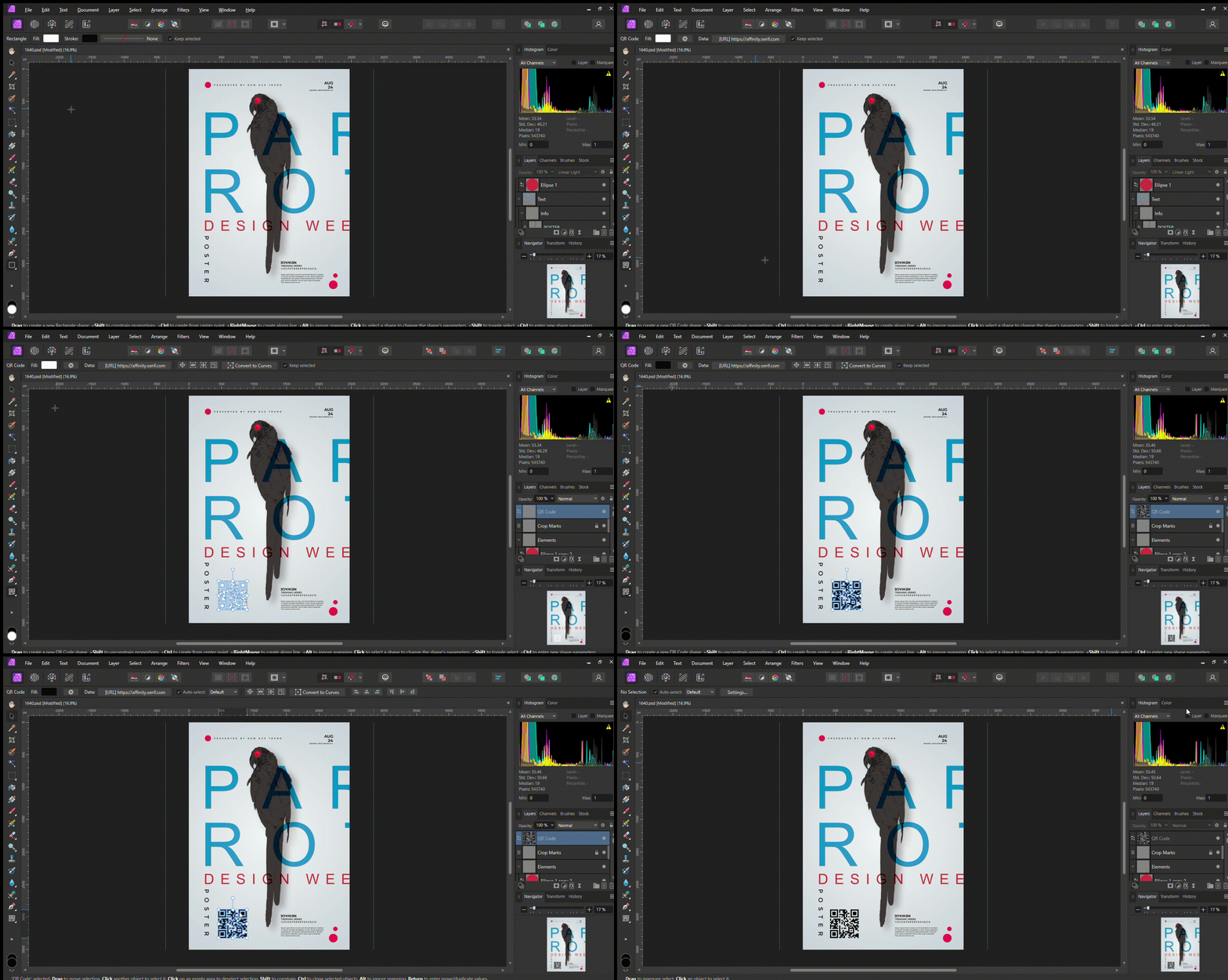
- QR Code Tool: You can now easily add scannable QR codes to your documents using the new QR Code Tool on the shape tools flyout. When setting a QR code‘s data, you can select from several common data types, such as text, URL, email, SMS, phone, FaceTime, WhatsApp, location, Wi-Fi, and vCard.
- Pencil Tool Enhancements: The Pencil Tool now features a new curve-smoothing algorithm, resulting in smoother and more precise drawings. The 'Auto-close' method has been improved, only closing the curve when you're near the starting point.
- Typography Panel: The typography dialogue has been converted into a dockable panel, allowing for easier access and workflow integration. This is available both from the Window menu and also from the typography button in the context toolbar when you have text selected.
- 32-bit HDR PNG Support: All Affinity apps now support import and export of 32-bit HDR PNG files.
- RAW Engine Update: The SerifLabs RAW engine has been updated to support additional formats, including the latest iPhone models, Samsung Galaxy S23+/23 Ultra, FujiFilm X100V, Canon EOS R8, Nikon Z8, and more.
Let's explore the key standalone software of this suite and their standout features:
Affinity Designer
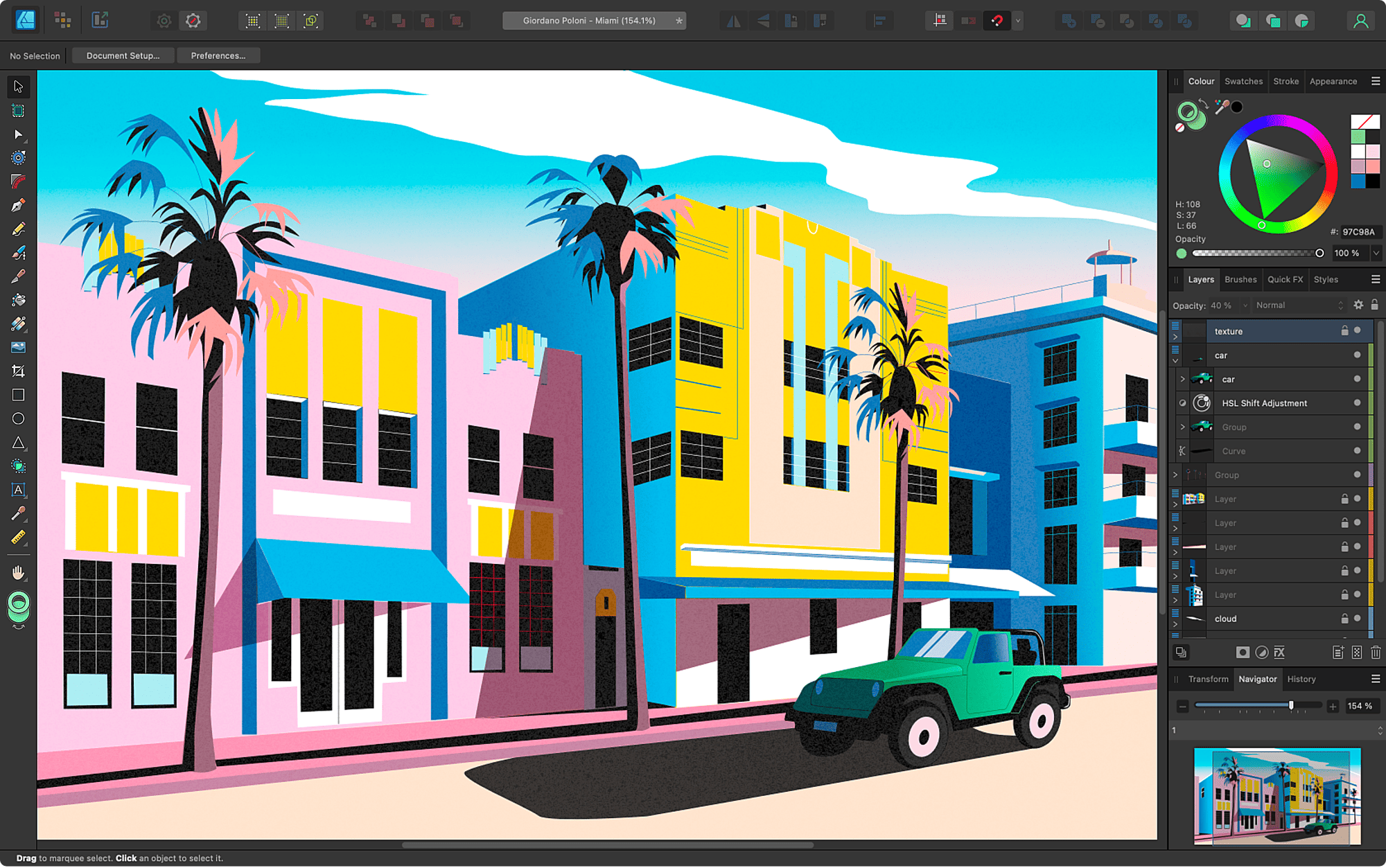
Affinity Designer is a vector graphics software used by illustrators, designers, game developers, and other pros to create digital illustrations, concept art, unique graphics, logos, brand designs, web mock-ups, and so much more. With the recent update, it now supports both DWG and DXF export, making it an excellent choice for architects and designers working with technical drawings. Some of the key features of Affinity Designer;
- Vector and Raster Integration: Seamlessly work with both vector and raster elements in the same document, allowing for versatile design options.
- Artboards: Create multiple artboards within a single document, which is useful for designing various layouts and formats simultaneously.
- Advanced Typography: Full support for text styles, OpenType features, and variable fonts, providing extensive control over typography.
- Boolean Operations: Powerful boolean operations for combining, subtracting, and intersecting vector shapes, facilitating complex designs.
- Live Gradients: Real-time gradient editing with advanced controls, allowing for dynamic and precise gradient adjustments.
Affinity Designer has some drawbacks, including limited third-party plugin support compared to Adobe Illustrator and lower industry adoption, which can lead to compatibility issues. It also lacks robust cloud integration and an auto-trace tool for converting raster images to vectors. Additionally, users transitioning from Adobe may face a learning curve due to differences in interfaces and workflows.
Affinity Photo
Affinity Photo is a professional-grade photo editing and retouching application designed for creative workflows. It offers a full set of non-destructive, high-end tools and features to help you create stunning images.
Key features of Affinity Photo include:
- RAW Editing: The software includes a dedicated RAW Editor with Split View, allowing you to adjust RAW files and other RGB layers in the Develop persona while seeing your adjustments alongside the original in real-time.
- Advanced Retouching Tools: Includes tools like the Healing Brush, Clone Tool, and Frequency Separation for detailed photo retouching.
- HDR Merge: Combines multiple exposures into a single high dynamic range (HDR) image, with adjustable settings for enhanced detail.
- Advanced Colour Workflows: Affinity Photo supports professional colour workflows, including CMYK, RGB, LAB, and greyscale colour models, ICC colour management profiles, and seamless switching between colour modes.
- Liquify Persona: This feature offers advanced image distortion capabilities, including a non-destructive Live Liquify filter, push forward and push left brush tools, twirl and turbulence brushes, and advanced brush controls for fine-tuning warps.
- PSD Compatibility: Affinity Photo provides full support for Adobe Photoshop PSD files, including accurate opening and saving of layers, groups, gradients, blend modes, paths, and masks.
Compared to Adobe Photoshop, Affinity Photo has fewer industry adoptions and third-party plugins, which can cause compatibility problems. Additionally, it might not completely handle complicated Photoshop PSD capabilities and lacks comprehensive cloud integration.
Affinity Publisher
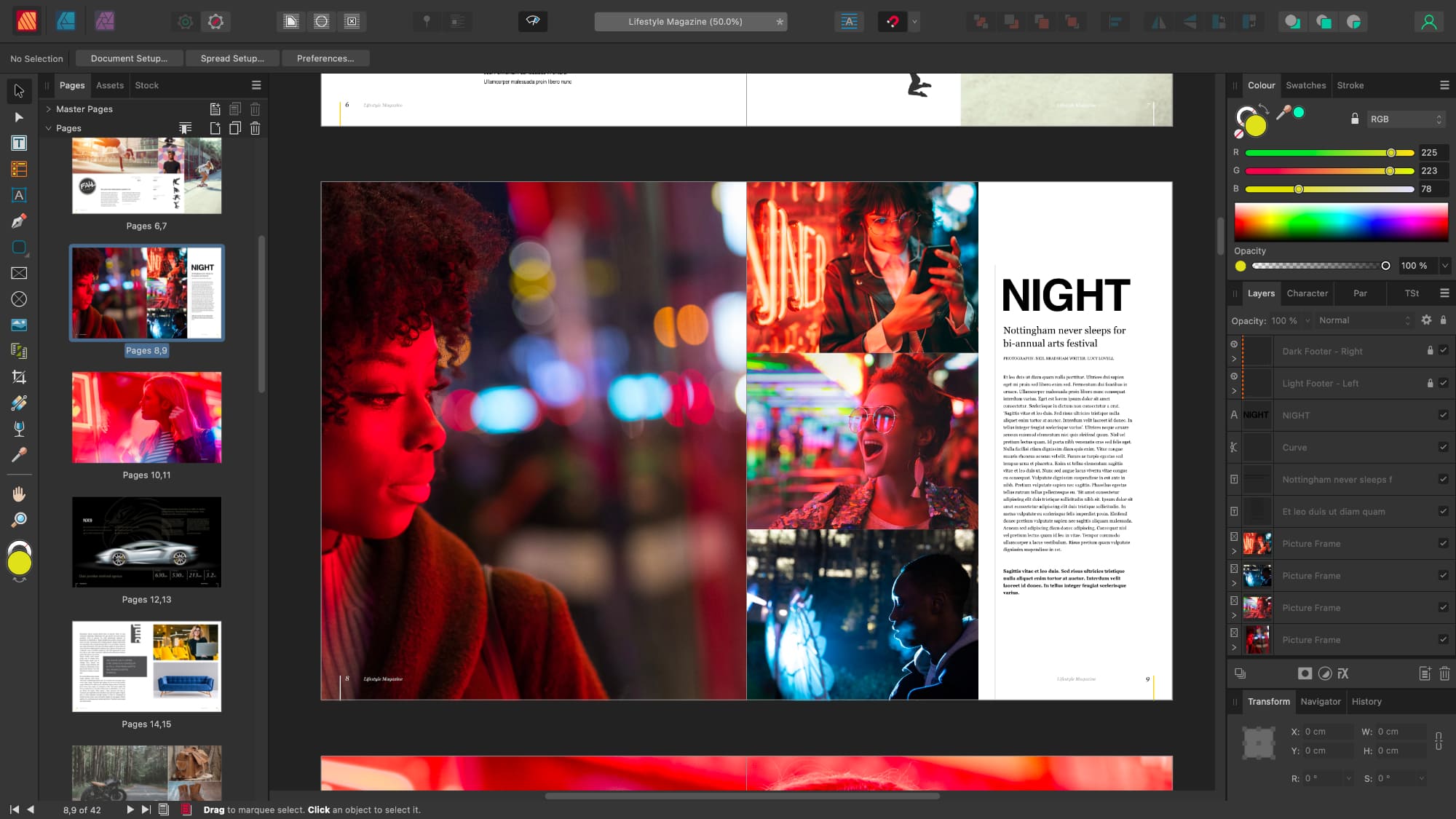
Affinity Publisher completes the suite, offering professional page layout and desktop publishing capabilities. Whether you’re creating magazines, posters, newsletters, bid documents, brochures or other materials, this groundbreaking page layout gives you the power to combine your images, graphics, and text to produce stunning publications of the highest quality. Some of the key features include;
- Professional Layout Tools: Advanced layout capabilities with features like master pages, text frames, and grids for creating complex, multi-page documents.
- Linked Text Frames: Easily link text frames across pages and across multiple documents for seamless text flow and consistent formatting.
- Dynamic Data Publishing: Tools for creating dynamic and data-driven documents, including data merge for importing and formatting data from external sources.
- Preflight Checks: Built-in preflight tools to check for errors and issues before final output, ensuring your document is print-ready and meets production standards.
- Interactive Elements: Support for creating interactive PDFs with buttons, hyperlinks, and forms, allowing for engaging digital publications and presentations.
Affinity Publisher faces some limitations, including less integration with other software and fewer advanced typography features compared to Adobe InDesign. It also offers fewer pre-designed templates and lacks robust cloud-based collaboration tools, which can hinder teamwork and project setup. Additionally, while it can open Adobe InDesign files, compatibility issues with complex documents may arise.
3. CorelDRAW Graphic Suite
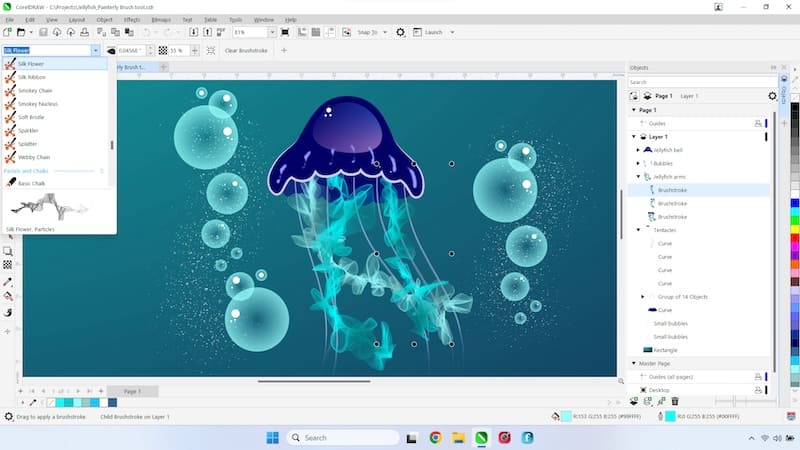
CorelDRAW Graphic Suite is a professional vector graphics editor and design software developed by Corel Corporation. It is widely used for graphic design, illustration, and page layout tasks, making it a popular choice for designers, artists, and marketing professionals. CorelDRAW offers a robust set of tools for creating vector-based graphics, which are essential for producing scalable artwork like logos, illustrations, and print materials.
CorelDRAW Graphics Suite 2024 (v25.1) offers a comprehensive set of tools for vector illustration and design. The latest version introduces several game-changing features to enhance your creative workflow:
- Painterly Brush Tool: This innovative tool combines vector and pixel-based brushes, allowing you to create unique effects. The brushstrokes are non-destructive, meaning you can adjust nodes along the vector object, and the brushstroke updates accordingly.
- Enhanced Effects Workflow: Adding bitmap effects now automatically opens the FX tab in the Properties docker, providing quick access to non-destructive effects for real-time adjustments.
- Focus Mode: This feature allows you to isolate and edit specific objects or groups, streamlining your workflow when working on complex designs.
- Improved Print Merge: The enhanced print merge workflow now supports Excel data and files in CSV, TXT, or RTF formats, making variable data print jobs much easier.
- Enhanced Export and PDF Import: The export process has been simplified, while PDF import capabilities have been improved for better text flow and editability.
CorelDRAW is a premium graphic design software with a high upfront cost, making it a significant investment for freelancers or small businesses. Its extensive features can be overwhelming for beginners, and its resource-intensive nature may cause slower performance on older computers. Its compatibility with other design tools may be imperfect, and its fewer frequent updates may result in users waiting longer for improvements or new tools.
4. Cinema 4D
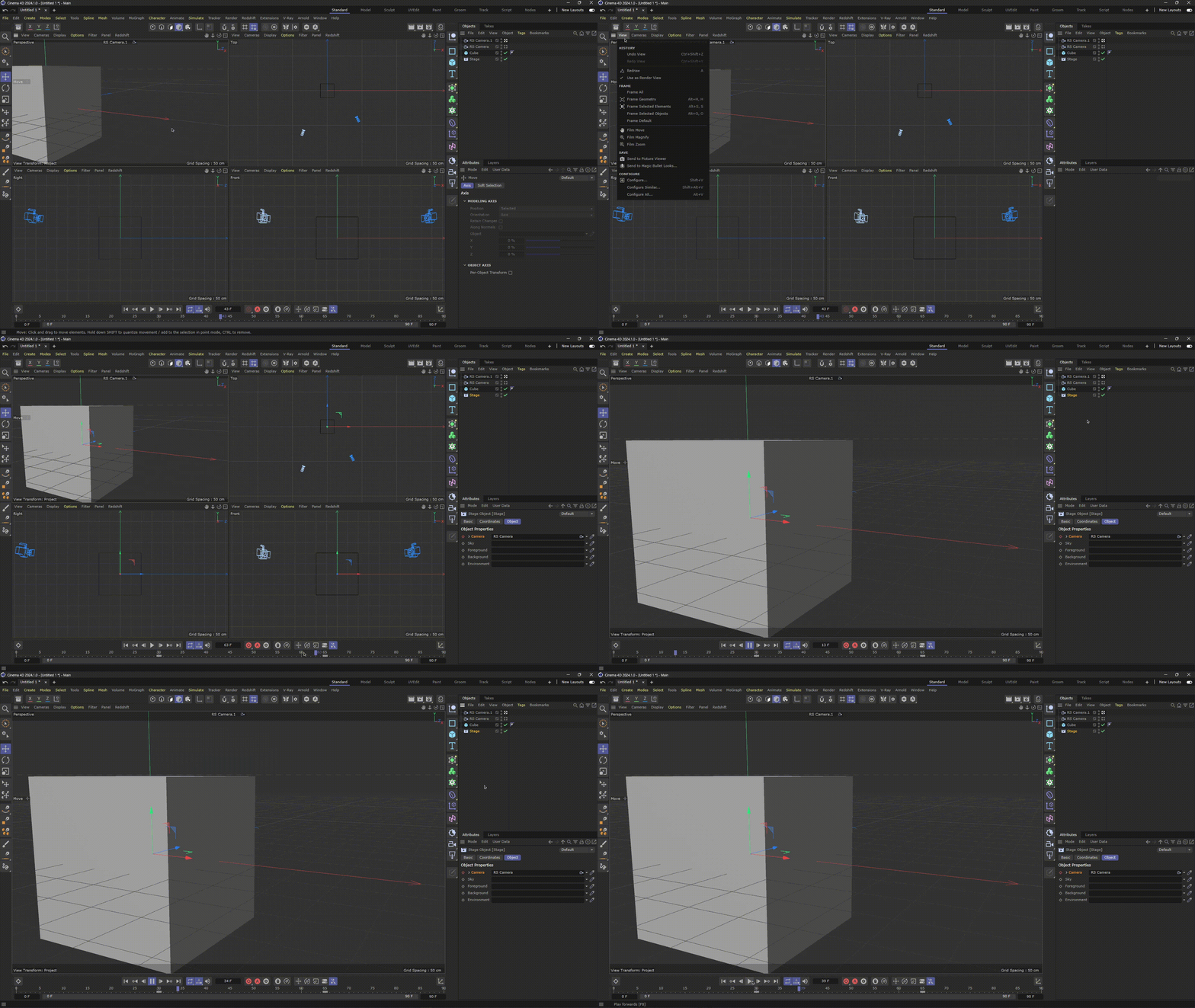
Cinema 4D developed by Maxon is a professional 3D modelling, animation, simulation and rendering software solution. Its fast, powerful, flexible, and stable toolset make 3D workflows more accessible and efficient for design, motion graphics, VFX, AR/MR/VR, game development, and all types of visualisation professionals. It's widely used in various industries, including film, television, video games, architecture, and motion graphics. Known for its powerful features and intuitive interface, Cinema 4D is popular among both beginners and experienced 3D artists. It offers a comprehensive toolset for creating complex 3D models, animations, visual effects, and realistic simulations.
Here are some key features of Cinema 4D in 2024:
- Real-Time Ray Tracing: Cinema 4D now includes advanced real-time ray tracing capabilities through its integration with modern GPU technologies. This feature allows for more accurate and realistic lighting, shadows, and reflections in real-time, improving the rendering process and visual fidelity.
- Enhanced MoGraph Toolset: The MoGraph toolset has been expanded with new effectors and animation presets, making it even more powerful for creating complex motion graphics. New features include advanced procedural modelling options and improved interaction with dynamic simulations.
- AI-Assisted Animation Tools: Cinema 4D has integrated AI-assisted tools for animation, such as automated keyframing and predictive animation suggestions. These tools help streamline the animation process, allowing for more intuitive and efficient creation of complex animations.
- Improved UV Editing: The UV editing workflow has been significantly enhanced with new tools for more precise and efficient UV mapping. Features include advanced automatic UV unwrapping, improved alignment tools, and better integration with texture painting and material editing.
- Redshift Integration: Cinema 4D has deepened its integration with Redshift, Maxon's powerful GPU-accelerated renderer. The latest updates include new Redshift materials, shaders, and enhanced support for complex lighting setups, providing faster and more flexible rendering options.
It is worth noting that Cinema 4D is a premium software with a high cost, making it challenging for freelancers, small studios, and hobbyists. Its advanced features require time and dedication, and its resource-intensive nature makes it difficult to handle high-resolution renders or detailed models. Its limited sculpting tools may be lacking for detailed artists. The complex licensing model and ongoing updates can be confusing for new users.
5. Sketch
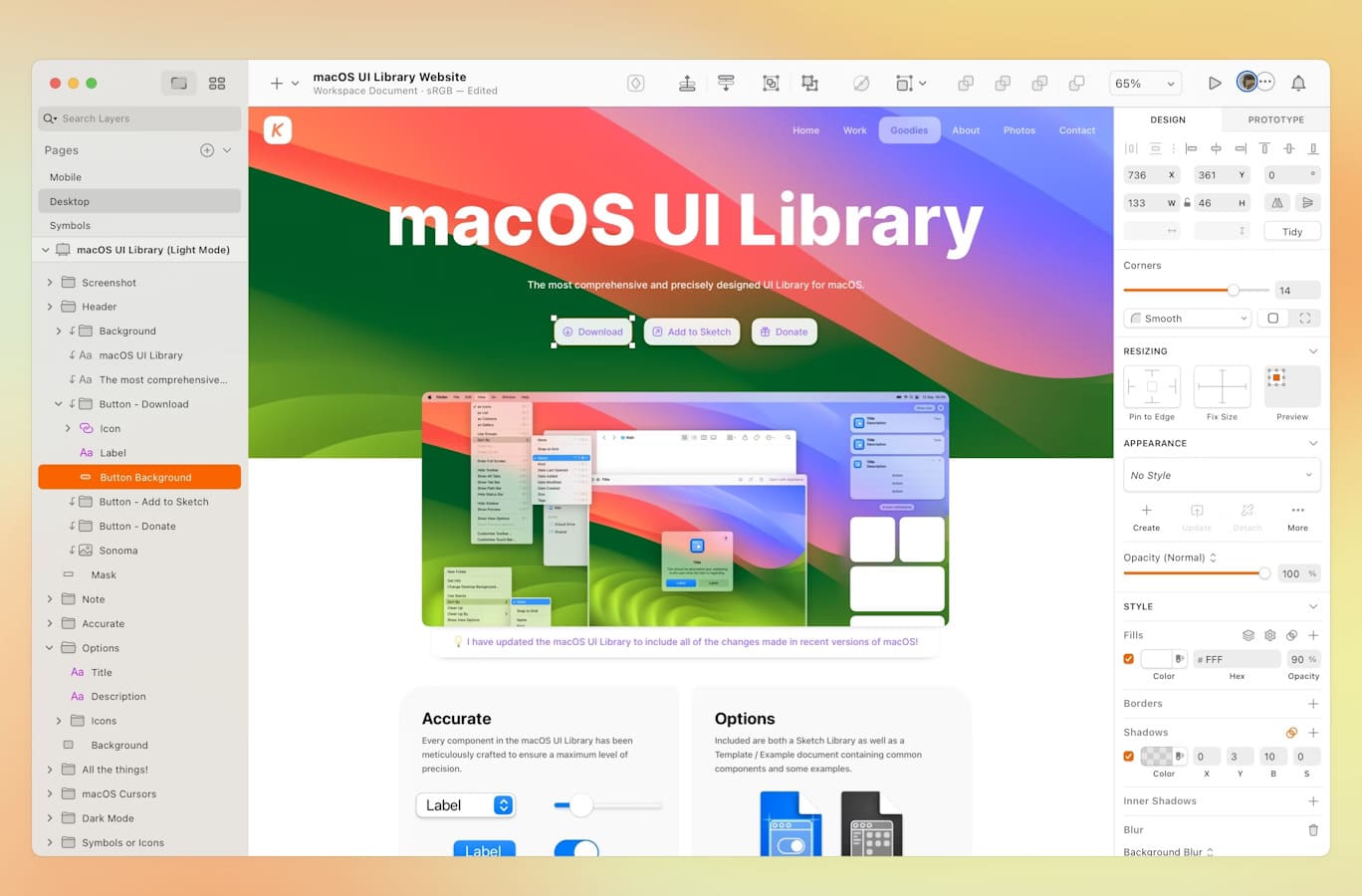
Sketch is a popular vector graphics editor primarily used for UI/UX design. It's widely favoured by designers for creating mobile apps, websites, and digital products due to its focus on digital design. Sketch offers a clean, intuitive interface and a robust set of tools specifically designed for creating wireframes, prototypes, and high-fidelity designs.
Here are some key features of Sketch in 2024 which is version 100 and better:
- Scrolling areas in prototypes: You can now make any group of layers scrollable vertically or horizontally (or both) in prototypes. You’ll find the Make Scrollable option under the Prototype tab in the Inspector when you select an existing group or multiple layers (we’ll even group those for you).
- Hover, press and toggle effects in prototypes: You can now show or hide layers on hover or press, as well as toggle a layer or overlay’s visibility on click, in prototypes. You can also trigger overlays on hover or press. You’ll find all these options under the Prototype tab in the Inspector when you select a layer or Hotspot.
- Permissions Groups: Admins on a Business Plan can create groups of Workspace Members, making it far easier (and quicker) to manage who can access projects and documents.
- Archive projects: Admins on a Business Plan can archive projects in their Workspace that are no longer active, making it easier to find and focus on what’s in play.
- Canvas Minimap: A handy Minimap has been added to make it easier to find your way around a large Canvas.
Sketch is only available on macOS, which limits its accessibility to designers who use Windows or other operating systems. However, this release is the last to support macOS 12 (Monterey). Future updates will require macOS version 13 (Ventura) or later. It has limited prototyping features, performance issues with large files, and a learning curve for beginners. It requires a paid license for updates and cloud features, which may not be ideal for all users.
6. Blender
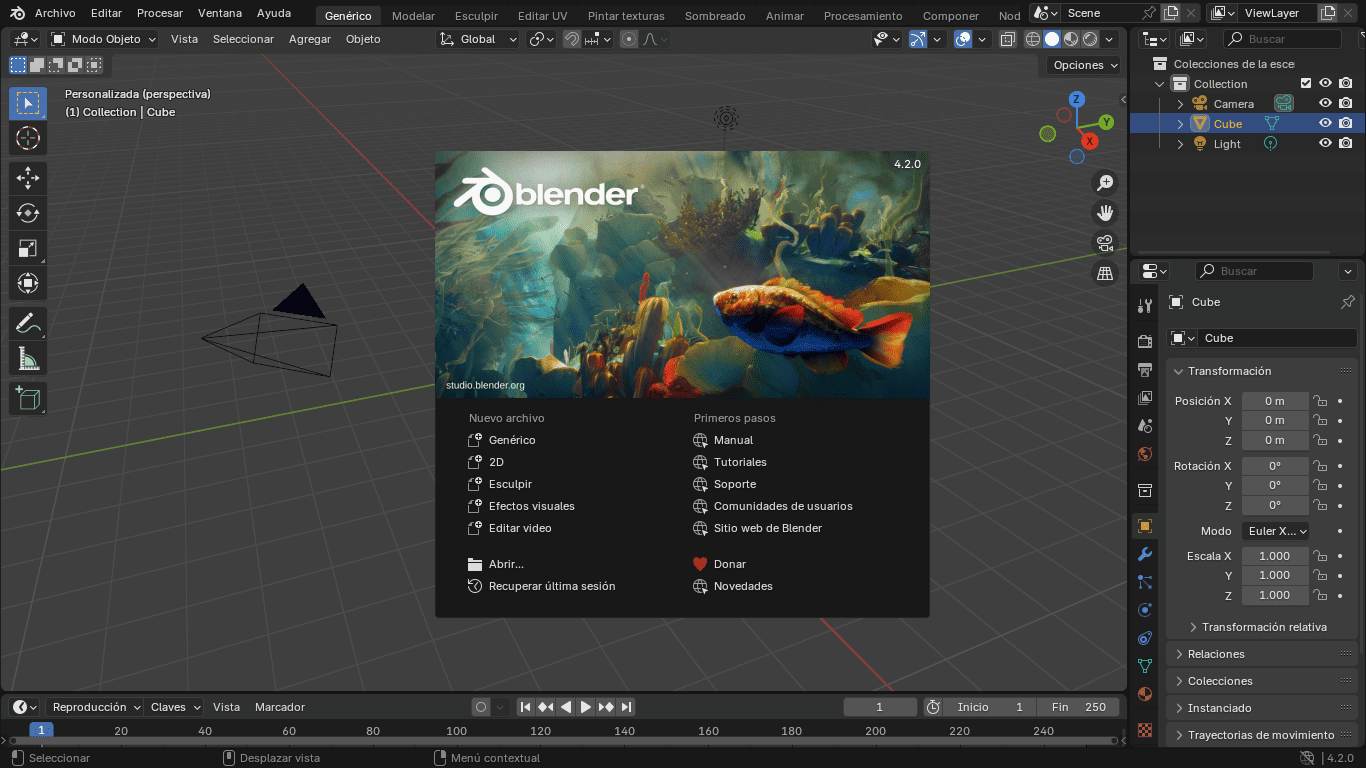
Blender is a free, open-source 3D creation suite used for a wide range of applications, including 3D modelling, animation, rendering, sculpting, texturing, and compositing. It also supports video editing, simulations (like fluids and smoke), and game asset creation.
Blender continues to push the boundaries of what's possible in 3D modelling and animation. The key features of the latest version, Blender 4.2 LTS, released on July 16th, 2024, include:
- EEVEE Rewrite: Improved render engine with global illumination, better subsurface scattering, and enhanced volumetric lighting.
- Cycles Updates: Ray Portals: For controlling light paths and improving shader accuracy. There is an improved volume rendering for faster and more realistic rendering.
- GPU-Accelerated Compositor: Faster compositing for video and effects, now leveraging the GPU for enhanced performance.
- Geometry Nodes: New matrix socket for advanced transformations and custom geometry operations. New and improved nodes for faster and more efficient workflows, including UV surface sampling and scaling.
- Video Editing Enhancements: Faster undo operations and more robust tools for video editing.
- Animation and Sculpting Upgrades: More responsive tools and advanced features for animators and sculptors.
- New Extensions Platform: A hub for sharing and managing community-made extensions, with easy installation and updates.
These updates make Blender 4.2 LTS faster, more powerful, and highly extensible for creative professionals.
It is worthy to note that, Blender, while powerful, has limitations such as a steep learning curve, making it challenging for beginners to master. For large, complex projects, Blender can be resource-intensive, requiring substantial computing power. Additionally, certain industry-specific formats, such as CAD files, require plugins or external converters, and some of Blender's advanced features (e.g., simulations or compositing) may not match the depth offered by specialised software like Adobe After Effects.
7. Figma
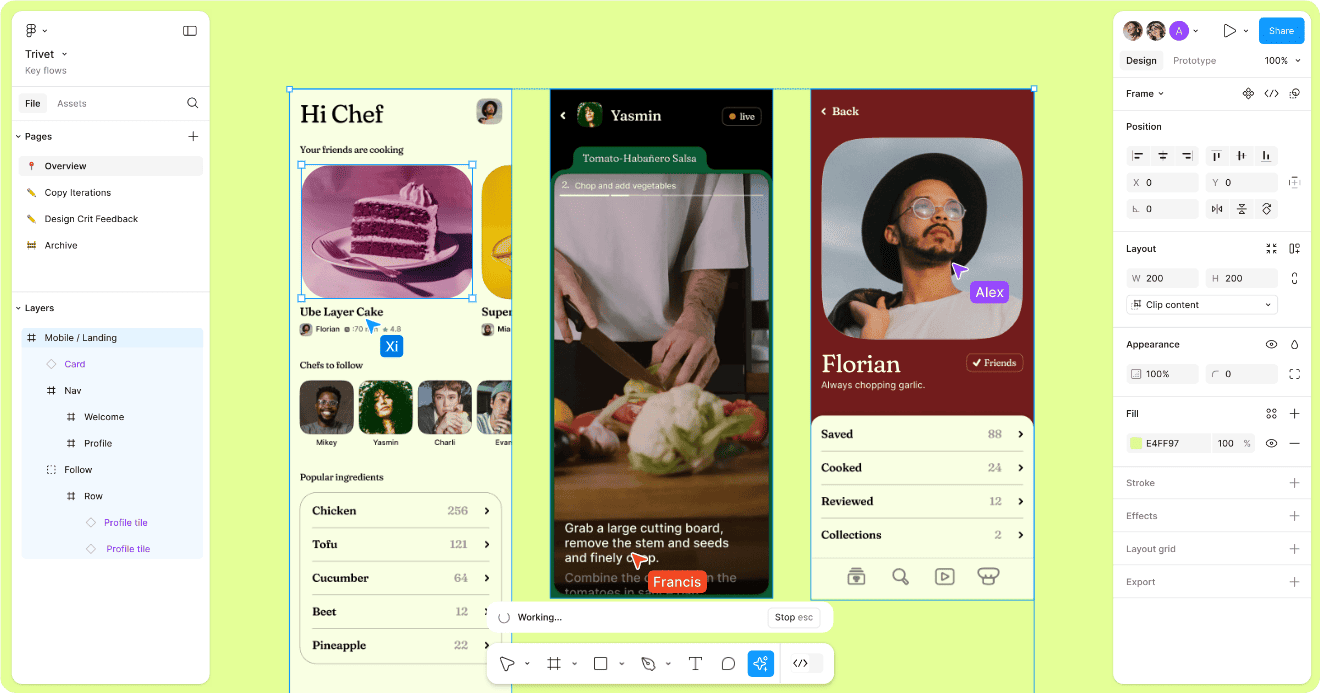
Figma is a cloud-based design tool used for creating user interfaces (UI) and user experiences (UX). It's known for its real-time collaboration features, allowing multiple designers to work on a project simultaneously from anywhere. Figma is versatile and offers a wide range of tools for designing, prototyping, and collaborating, making it a popular choice among teams working on web and mobile app designs.
Figma has continued to evolve with a range of new features and enhancements that improve its capabilities for UI/UX design, prototyping, and collaboration. Here are five key features of Figma in 2024:
- AI-Powered Design Assistance: Figma now includes AI-powered design assistance tools that help with tasks such as layout adjustments, colour palette generation, and design consistency checks. Figma AI features are free in beta and rolled out gradually. After the beta period, there may be an added cost.
- Advanced Prototyping and Interaction Design: Figma has enhanced its prototyping capabilities with new interaction design features. Users can now create more complex and interactive prototypes with improved support for micro-interactions, dynamic content, and advanced animations, making it easier to simulate realistic user experiences.
- Real-Time Collaboration Enhancements: The real-time collaboration features have been upgraded to include more granular permissions and version control. Team members can now collaborate more effectively with better tools for commenting, resolving feedback, and tracking changes across different versions of a design.
- Component Variants and Design Systems: Figma has introduced expanded support for component variants and design systems. Users can create and manage complex design systems with more flexibility, including nested variants and better tools for maintaining consistency across multiple components and screens.
- Integration with External Tools: Figma now offers deeper integration with a range of external tools and platforms, including project management systems, analytics tools, and development environments. This integration helps streamline workflows by allowing for seamless data transfer, task management, and collaboration across different tools.
Figma is a cloud-based design tool that requires an active internet connection for access and work. It struggles with complex projects and requires significant learning for advanced features. Figma's subscription-based pricing can be costly for individual users or small teams, and its interface and toolset are less customisable than other design tools, making it unsuitable for professional use.
8. GIMP
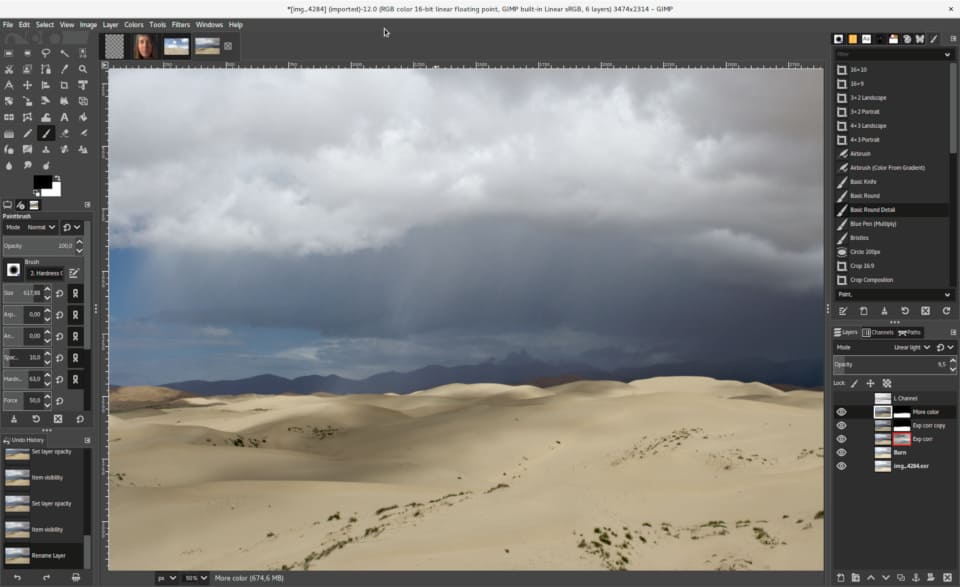
GIMP (GNU Image Manipulation Program) is a free and open-source raster graphics editor. It is widely used for tasks such as photo retouching, image editing, and creating original artwork. GIMP offers a range of tools similar to those found in Adobe Photoshop, making it a powerful alternative for users who need advanced image editing capabilities without the cost of proprietary software.
As of May 2024, the GIMP 2.10.38 version has been released with several updates and new features to enhance its functionality as a powerful open-source image editing tool. Here are some key features:
- Improved support for tablets on Windows: GIMP has improved support for tablets on Windows by enabling the use of Windows Ink drivers instead of WinTab drivers. This was achieved by the implementation of GTK3, allowing users to switch between WinTab and Windows Ink drivers in the Preferences dialogue.
- Bug Fixes: Two frequently reported crashes have been fixed, one involving a bug in GLib 2.80 causing a crash on exit, and another crash encountered by users making small selections, with fixes for both 2.10.38 and upcoming 3.0 release candidates.
- Colour management revamped: Colour management is now a core feature of GIMP rather than a plug-in. This made it possible, in particular, to introduce colour management to all custom widgets we could think of: image previews, colour and pattern previews, etc.
- New Tools: New tools have add to the already existing tools. These new tools include a unified transform tool for making multiple transforms, such as scaling, rotating, and correcting perspective in one go. The new Warp Transform tool allows doing localised transforms like growing or shifting pixels with a soft brush and undo support.
GIMP's open-source nature not only provides cost-free access but also encourages contributions from a vibrant community of developers and enthusiasts. This collaborative approach has resulted in a rich ecosystem of scripts and plug-ins, extending the software's functionality.
GIMP's open-source nature not only provides cost-free access but also encourages contributions from a vibrant community of developers and enthusiasts. This collaborative approach has resulted in a rich ecosystem of scripts and plug-ins, extending the software's functionality.
9. Canva Pro
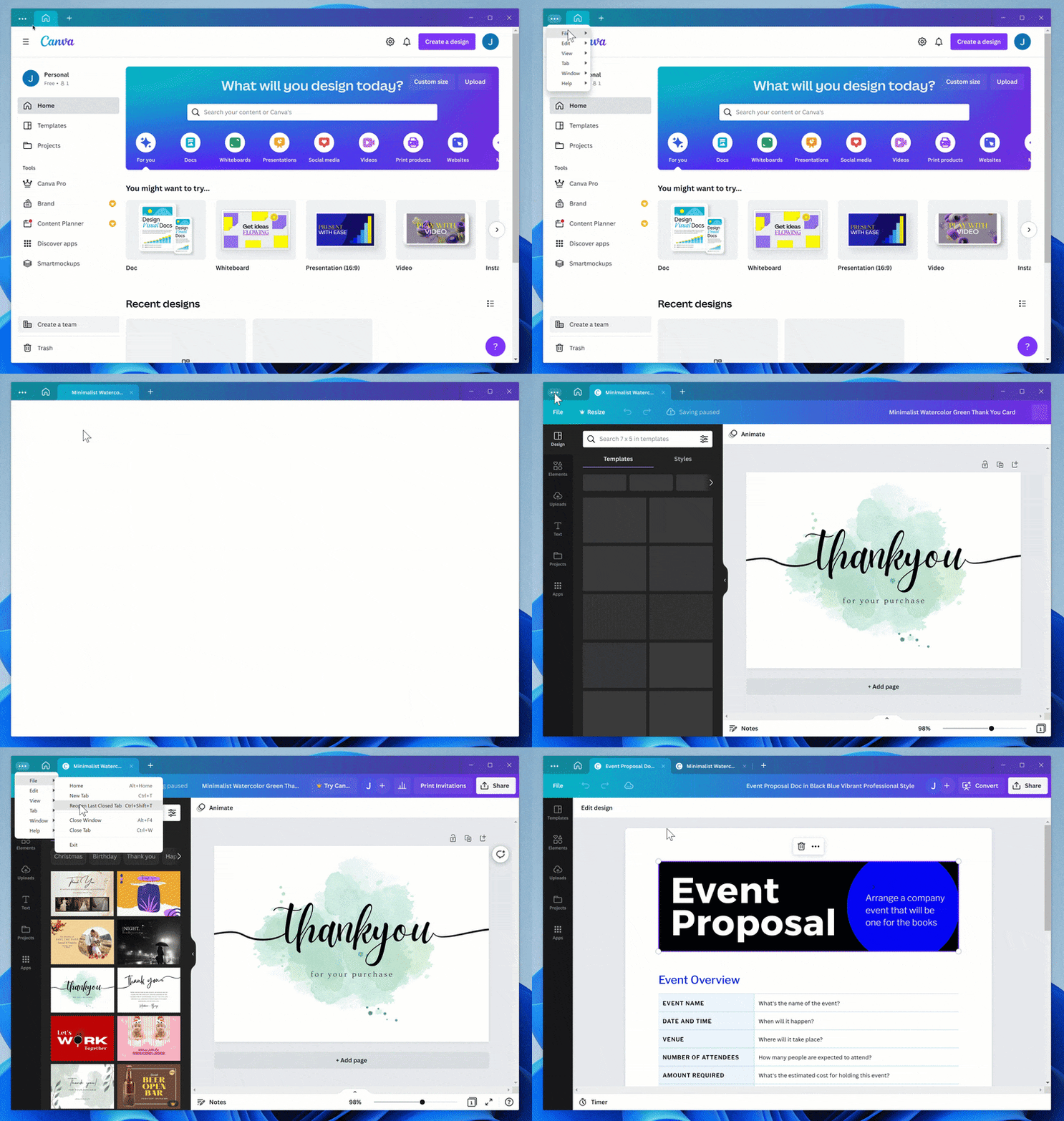
Canva Pro is the premium version of Canva, an online graphic design platform that offers users a range of tools for creating professional designs without needing advanced design skills. It’s widely used for tasks like social media graphics, presentations, posters, and more.
In 2024, Canva Pro has introduced several powerful features designed to enhance productivity and creativity for users. Key features include:
- Magic Media: an AI-powered tool that generates custom images and videos from text prompts.
- Premium Templates: Access to over 3.8 million specialised, high-quality templates for various categories.
- Brand Kit: A centralised tool for storing and applying brand logos, colours, and fonts to ensure consistency across designs.
- AI Tools: Expanded capabilities such as Magic Write for brand-aligned text generation, Magic Design for layout suggestions, and Magic Eraser to remove unwanted elements.
- Background Remover: A one-click AI feature that efficiently removes image backgrounds.
- Video Enhancements: Features like voice improvement and automatic highlight generation for video clips.
While Canva Pro is highly versatile, it has some limitations. It lacks the advanced capabilities found in professional graphic design software like Adobe Illustrator or Photoshop. Additionally, Canva’s templates can sometimes result in designs that feel generic or overused. For teams, the collaboration features, while useful, may not be as powerful as dedicated project management tools. Lastly, its offline functionality is limited, as Canva is a cloud-based platform that requires an internet connection for most features.
10. Inkscape
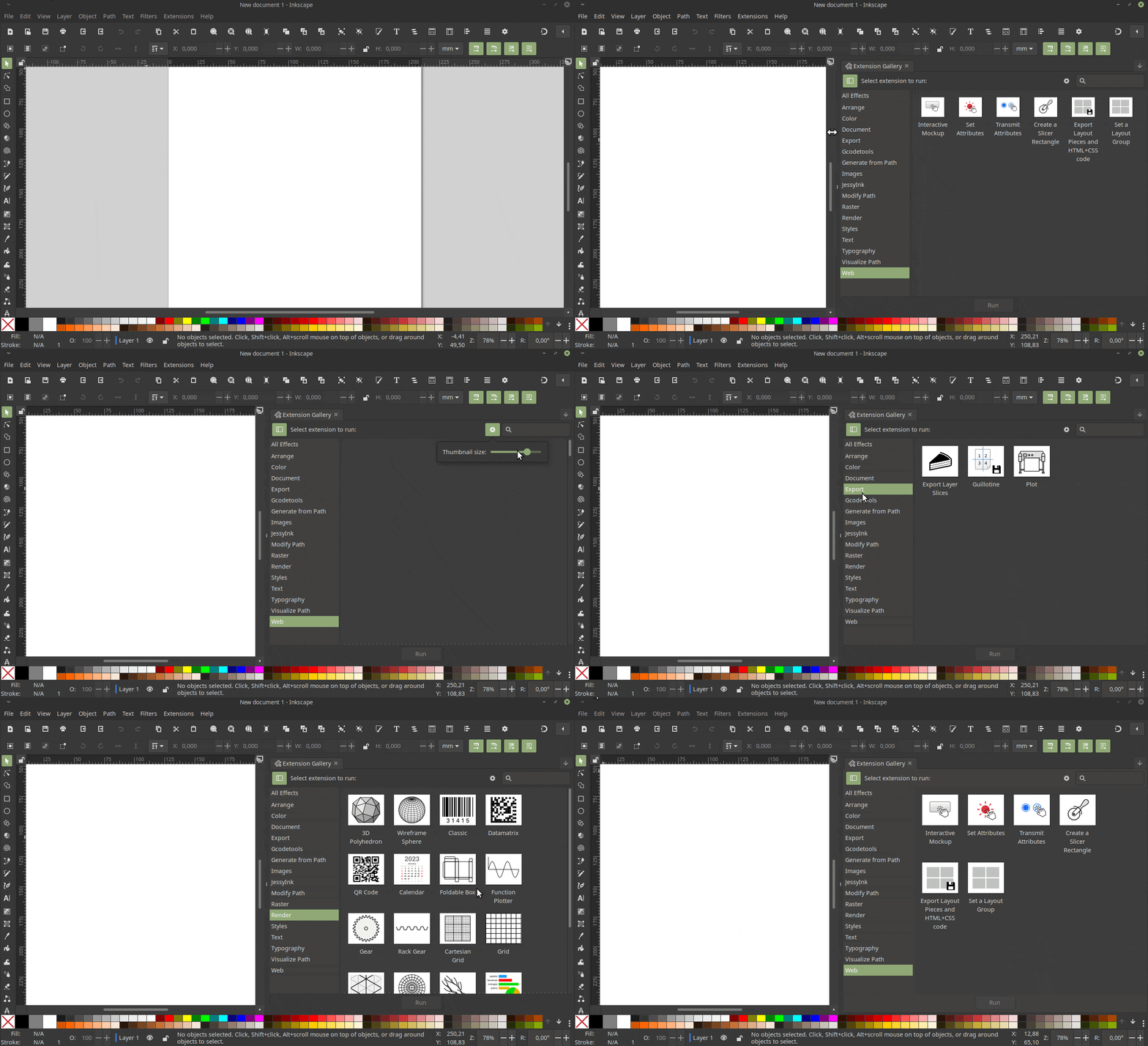
Inkscape is a free graphic and design editor that can be used for personal and professional purposes. The program has a complete set of design tools that allow you to work with vector graphics files and rasterised images.
The second beta version of Inkscape was released on August 2, 2024, which is version 1.4. Its key features are:
- Filter Gallery: It has never been so easy to find the best filter for your needs. This new dialogue features previews, categories, and search.
- Modular grids & improved axonometric grids: Set the grid angle by ratio for isometric designs and use modular grids to plan layouts and make icons!
- Swatches dialogue and palette file handling improved: Quick access to dialogue layout controls, search for colours, and open different palette file formats!
- Unified font browser preview: When activated in the preferences, use it to quickly browse through your font collection. Try it out and give your feedback!
- Customisable handles: Power users with CSS knowledge can now customise the styling and basic shape of all the handles!
- Fast image clipping with the Shape Builder: Raster graphics can now be clipped into multiple sections using the Shape Builder.
- There's even more: New templates for folding booklets, a new icon theme, additional options in Ruler and Taper Stroke LPE, preview in Spray tool, many new command line options, updated translations, and many bug fixes.
As an open-source solution, Inkscape is an excellent option for those looking for a cost-effective vector graphics tool. However, it's worth noting that installation on macOS might require some extra steps compared to other platforms. It also has limitations in its tools and functions, compatibility issues with certain files, and lacks a preview of filters and effects.
Conclusion
The rapid evolution of graphic design software has a profound influence on the creative landscape, offering professionals a diverse array of tools to bring their visions to life. From the comprehensive Adobe Creative Cloud Suite to versatile alternatives like the Affinity Suite, designers now have access to powerful solutions for vector graphics, image editing, and 3D modelling. These advancements not only enhance productivity but also open up new avenues for artistic expression and innovation.
As we look ahead, the integration of AI, real-time rendering, and cross-platform compatibility is set to revolutionise the field further. These developments promise to streamline workflows, boost collaboration, and push the boundaries of what's possible in digital design. For creative professionals, staying informed about these tools and trends is crucial to remain competitive and to continue producing cutting-edge work in an ever-changing digital landscape.